Tool
Print scale calibration test
Find out what your printer actually did to the page. Print the test sheet, measure one reference with a ruler, and get the exact percentage your print came out at — plus the corrective percentage that lands the next one on true size.
Step 1
Print the test sheet
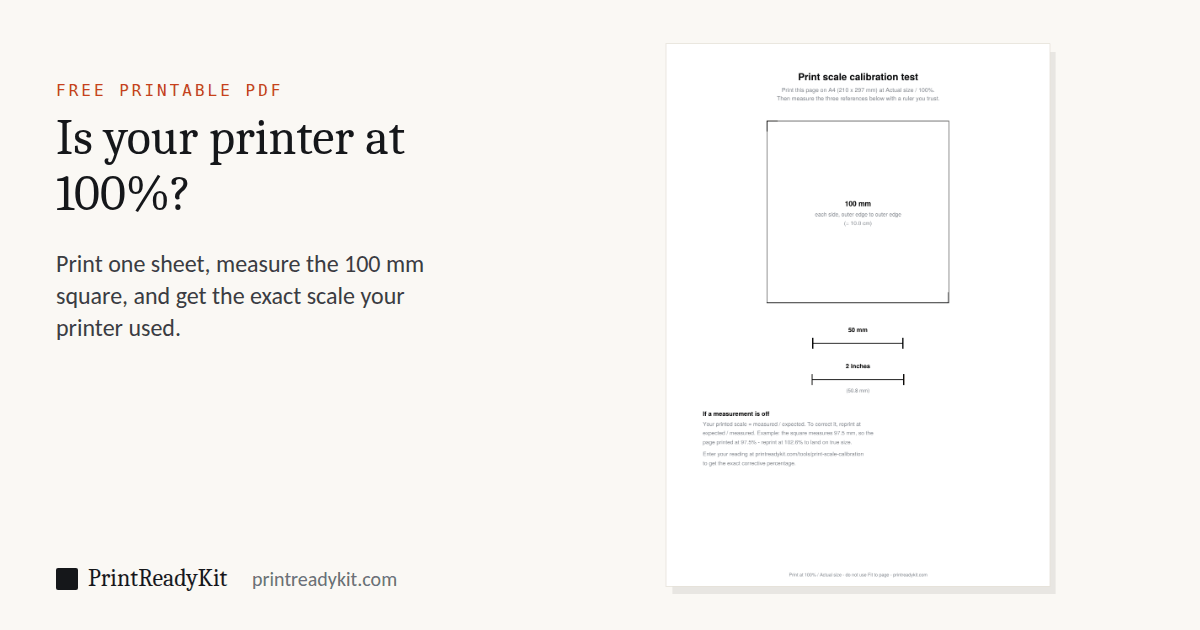
One page with three exact references: a 100 mm square, a 50 mm line and a 2 inch line.
When you print it
- Choose Actual size or 100% — never Fit to page. A phone's print screen usually has no such choice; this test is how you find out what it did, and printing from a phone says what to do if it shrank.
- Make sure the paper in the tray matches the size you picked above.
- Turn borderless off; many drivers enlarge the page 1–3% for it.
Not sure where those settings are? The actual-size guide covers Acrobat, Chrome, Edge, Firefox, Safari, Preview and Windows Photos.
Step 2
Enter what you measured
Printing smaller than actual size? What your reading means
Measure the 100 mm square and compare. Some percentages only one setting produces, because fitting one paper size onto another always shrinks by the same amount.
| Square measures | Printed at | Usual cause |
|---|---|---|
| 99.7–100.3 mm | 100% | Printing true — the difference is reading error. |
| 97.3 mm | 97.3% | A Letter-size document fitted to A4 paper. Print on Letter, or set the document to A4 before printing. |
| 94.1 mm | 94.1% | An A4 document fitted to Letter paper. Print on A4, or set the document to Letter before printing. |
| 70.7 mm | 70.7% | An A3 page shrunk onto A4. Print on A3, or tile it across A4 sheets with the poster splitter. |
| 64.7 mm | 64.7% | A Tabloid (11 × 17 in) page shrunk onto Letter. Print on Tabloid, or tile it across Letter sheets with the poster splitter. |
| about 95–98 mm | 95–98% | Fit to page, Shrink oversized pages or Fit to printable area, clearing the printer's margin — the exact figure depends on the printer. Switch scaling off (Actual size, 100%). |
| about 101–103 mm | 101–103% | Borderless printing, which many drivers do by enlarging the page. Turn it off. |
The arithmetic, in one line
Printed scale is measured ÷ expected. The correction is its reciprocal, expected ÷ measured — not 100% plus the error, which is the mistake that leaves you slightly off on the second attempt. A page that printed at 97.5% needs 102.6% to come back, not 102.5%: shrinking by 2.5% and growing by 2.5% do not cancel.
This matters most where the error is invisible. A ruler that prints 3% short is obvious the moment you hold a real one against it. A 1:100 scale ruler with the same error looks perfectly normal and quietly understates every distance — 30 cm of real building for every 10 metres measured.
Frequently asked questions
Why measure three things instead of one?
Agreement between them tells you what kind of error you have. If all three are off by the same percentage, the page was uniformly scaled and a corrective reprint fixes it. If the 100 mm square is off but the lines are not — or the square measures differently across than down — the driver is distorting rather than scaling, and no percentage will fix that. That is a driver or paper-size mismatch to solve first.
How accurate does my ruler need to be?
A normal steel or plastic ruler is fine. Reading the 100 mm square to the nearest half millimetre gives you scale to within 0.5%, which is far better than the error Fit to page introduces — how large that error is depends on your paper size and printer margins, which is exactly what this sheet measures. Measure the square rather than the short lines: the same reading error over a longer distance is a smaller percentage.
My print is off by 4%. Is that normal?
It is a very common sign of Fit to page rather than a hardware fault. Around 4% is the signature of Fit to page or Shrink oversized pages on A4 or Letter — the dialog reduces the page to clear the printer’s unprintable margin. Turn scaling off first and reprint before applying any correction; a corrective percentage should compensate for hardware drift, not for a setting you can simply switch off.
Should I just always print at the corrective percentage?
Only if the error persists with all scaling switched off, which means it is genuine hardware or driver drift. Save the figure for that printer, since it stays fairly constant, and re-test after a driver update or when you change paper size. If you found the error while Fit to page was on, fix the setting instead — a correction stacked on top of an active Fit to page will not land where you expect.
Does this work for a printer that cannot print borderless?
Yes. The test sheet keeps every reference well inside the unprintable margin, so on most common home printers no part of it is clipped. Unprintable margins are a separate matter from scaling: they cost you edge area but do not change the size of what does print — unless you enable borderless mode, which many drivers implement by enlarging the page 1–3%.
Can I use a credit card instead of printing this?
For a rough check, yes — every payment card is manufactured to ISO/IEC 7810 ID-1 at 85.60 × 53.98 mm, and our size pages draw one at scale for that reason. But a card is 85.6 mm against this sheet’s 100 mm, so the same reading error is a larger percentage, and a card gives you one reference instead of three. Use the card for a quick sanity check and this sheet when the number matters.
Measuring and scale tools
- Printable rulerLife size in mm or inches, or any drawing scale
- Scale ruler guide1:50, 1:100, 1/4" = 1'-0" and how to read them
- Online rulerActual size on your screen, set with a bank card
- Scale converterDrawing to real size, or find a drawing’s scale
- Printable protractor180° or 360°, any size, with a check square
- Ring sizerRing size circles and a finger strip, card-checked
- Printer test pageInks, fine detail and how close to the edge it prints
Last updated