Tool
Business card template generator
Generate a print-ready template with bleed, trim and safe-area marks — as a true-scale PDF on an A4 sheet or as an editable SVG. Choose a regional standard or set a custom card size; the download includes crop marks at every corner.
Leave blank for an empty template to design on top of. Fill it in and the PDF becomes a finished minimal card — text is auto-fitted and placed inside the safe area.
Keeps these settings in the link. Useful for moving from a phone to the computer with the printer on it.
Frequently asked questions
Can I put my name and details on the card here?
Yes — the optional content fields (name, title, phone or email, company) place real text inside the safe area, auto-sized to fit, and the PDF then downloads as a finished minimal card with crop marks. It is deliberately typographic: one typeface, black on white, three clean layouts. For logos, colour and imagery you still want a design tool — export this template as SVG and build on top of it.
What if I want a logo or colours?
Leave the content fields empty, download the SVG or PDF template, and open it in Illustrator, Affinity, Figma, Inkscape or Canva as a guide layer. The trim, bleed and safe-area rectangles are separate vector paths, so you can lock them, design over them, and delete them before sending to print.
What is bleed?
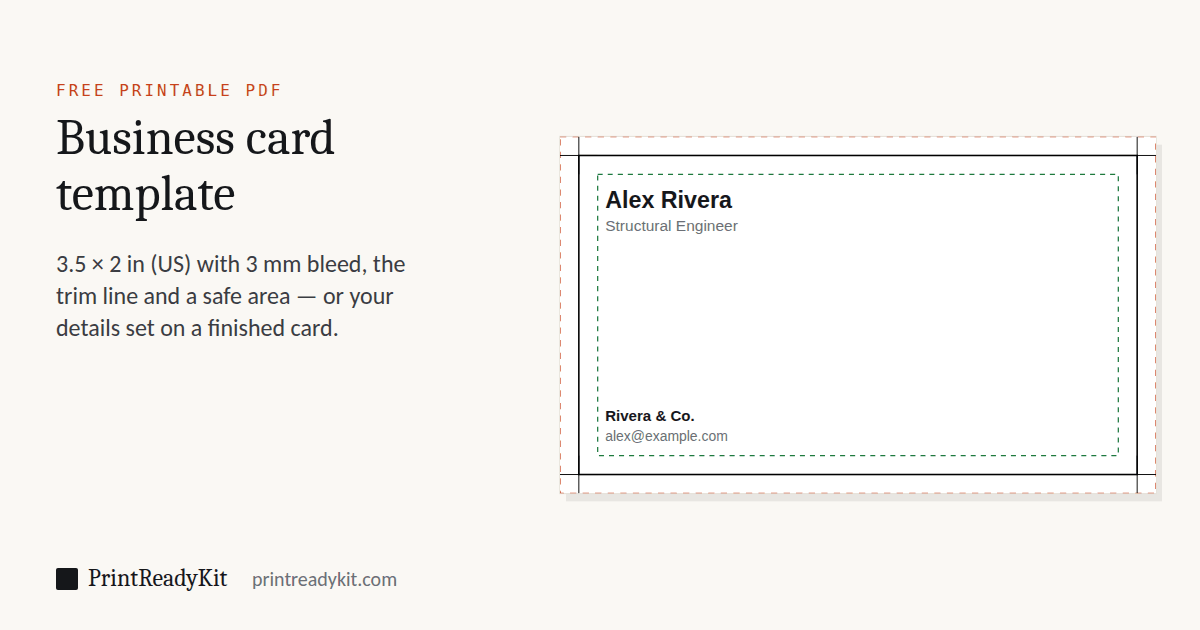
Bleed is the extra area around the final card size where the background colour or image extends. It exists because cutting machines are never perfectly accurate. Without bleed, a tiny misalignment leaves a white strip along the edge of the trimmed card. 3 mm of bleed on each side is the standard requirement.
What is the safe area?
The safe area is the inner zone, set 3 mm inside the trim line, where all important content (text, logos, contact details) should stay. Anything outside this zone risks being cut off if the trim slips slightly.
Why is the template orange and green?
The dashed red rectangle marks the bleed line, the solid black rectangle marks the trim (final card size), and the green dashed rectangle marks the safe area. These three lines together describe a print-ready card.
Can I open the SVG in a raster image editor?
You can — most raster editors open SVG files by rasterising them into a flat pixel layer. If you need to keep the bleed, trim and safe-area rectangles editable as separate paths, use a vector editor instead.