Tool
Printable shapes
A heart template, a star template, a circle template or six other shapes, at the exact size you need — a 2 inch circle, a 5 cm heart — as many as fit on A4 or US Letter. Print them as outlines to cut out or trace, or solid in colour, and check the bar at the foot of the page to be sure they printed true.
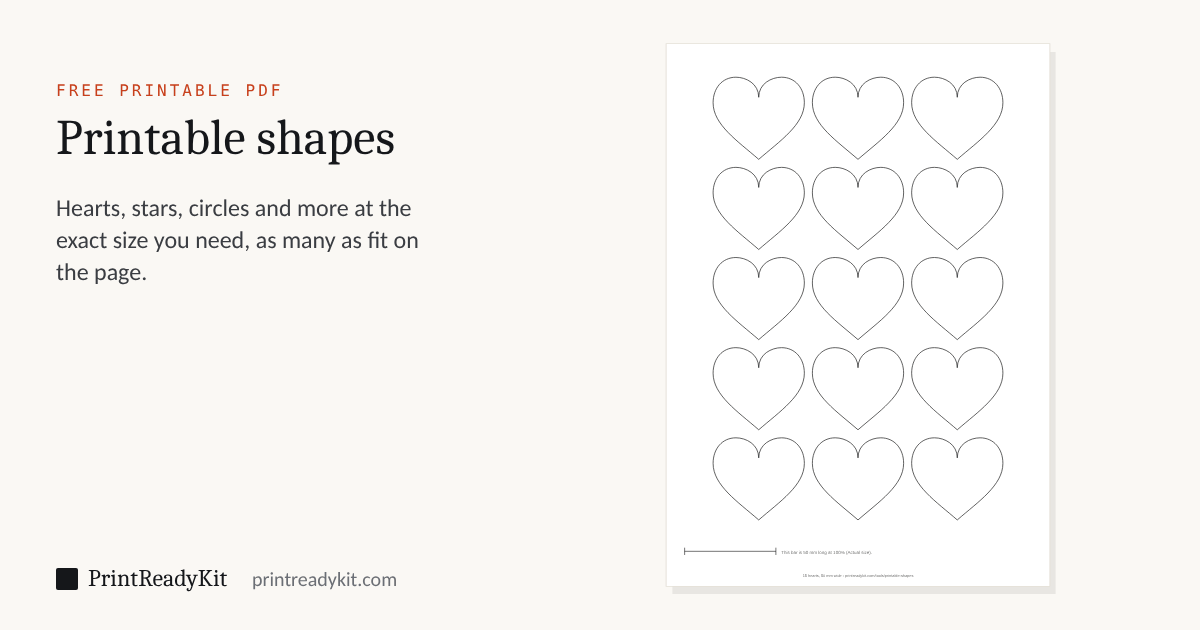
15 hearts, 50 mm wide, on one A4 page.
- Print the PDF at Actual size or 100%.
- Card stock (160–250 gsm) makes a template you can draw around again and again.
- Measure the bar at the foot of the page: 50 mm, or 2 in, means the shapes are true.
How many fit on a page
With the standard 4 mm gap and a 10 mm margin, on one sheet. Counted by the same code that draws the PDF.
| Size | CirclesLetter · A4 | HeartsLetter · A4 | StarsLetter · A4 | SquaresLetter · A4 |
|---|---|---|---|---|
| 1 in (25.4 mm) | 54 · 60 | 54 · 54 | 48 · 54 | 48 · 48 |
| 2 in (50.8 mm) | 12 · 15 | 12 · 15 | 12 · 12 | 12 · 12 |
| 3 in (76.2 mm) | 6 · 6 | 6 · 6 | 6 · 6 | 6 · 6 |
| 4 in (101.6 mm) | 2 · 2 | 2 · 2 | 2 · 2 | 2 · 2 |
| 5 cm | 15 · 15 | 12 · 15 | 12 · 15 | 12 · 12 |
| 10 cm | 2 · 2 | 2 · 2 | 2 · 2 | 2 · 2 |
Cutting shapes out cleanly
- Cut the sheet into strips first, then each shape out of its strip: short cuts are easier to steer.
- For curves, keep the scissors still and turn the paper into them.
- Cut inside corners — the dip of a heart, the inner points of a star — from both sides towards the point.
- For many identical shapes, cut one from card and draw around it; or use a craft knife on a cutting mat for the star’s inner corners.
Need letters rather than shapes? Printable letters prints a word one big letter to a page. Want a shape bigger than a sheet? The poster splitter spreads one picture over several pages.
Keeps these settings in the link. Useful for moving from a phone to the computer with the printer on it.
Share with a class
Posts a link to this tool with these settings. Nothing loads from Google or Microsoft until you press a button.
Frequently asked questions
How is the size of a shape measured?
Across its widest point, from side to side: a circle’s diameter, a heart from the outside of one lobe to the other, a star from the tip of one arm to the tip of the other, a hexagon from point to point and an octagon from one flat side to the opposite one. The size printed at the foot of the page is that width, and the shapes are exactly that size when the page prints at 100%.
Why are my shapes a little smaller than the size I chose?
The printer scaled the page. “Fit to page” or “Shrink oversized pages” in the print dialog shrinks it by 3–6%, so a 2 in circle comes out about 1.9 in across. Print at “Actual size” or 100%, then measure the bar at the foot of the page: it is 50 mm (or 2 in) long when the page is true.
How many circles fit on a page?
With the standard 4 mm gap, 12 two-inch circles fit on US Letter and 54 one-inch circles; on A4, 15 circles of 5 cm. Small circles are packed in offset rows, like a honeycomb, whenever that fits more than straight rows. The table above gives the counts for the other shapes.
What is the largest shape I can print on one sheet?
A circle or square up to 189.6 mm across on A4 and 195.5 mm on US Letter, leaving the margin printers need and room for the check bar. For something bigger, print the shape on several sheets with the poster splitter and tape them together.
Can I trace the shapes onto fabric, felt or wood?
Yes — print the outline version on card stock, cut one shape out and use it as a stencil to draw around. The 0.4 mm line is meant to be cut along: cut on the line or just inside it and the shape keeps its stated size.
Last updated
Related
- Printable letters and bannersOne big letter to a page, or bunting
- Place cards and gift tagsNames on folded cards for the party table
- Graph paper generatorSquare, dot and isometric grids to draw on
- Print scale calibrationFind the exact percentage your printer prints at
- Print at actual sizeSo every shape comes out the size it says