Tool
Printable letters and banners
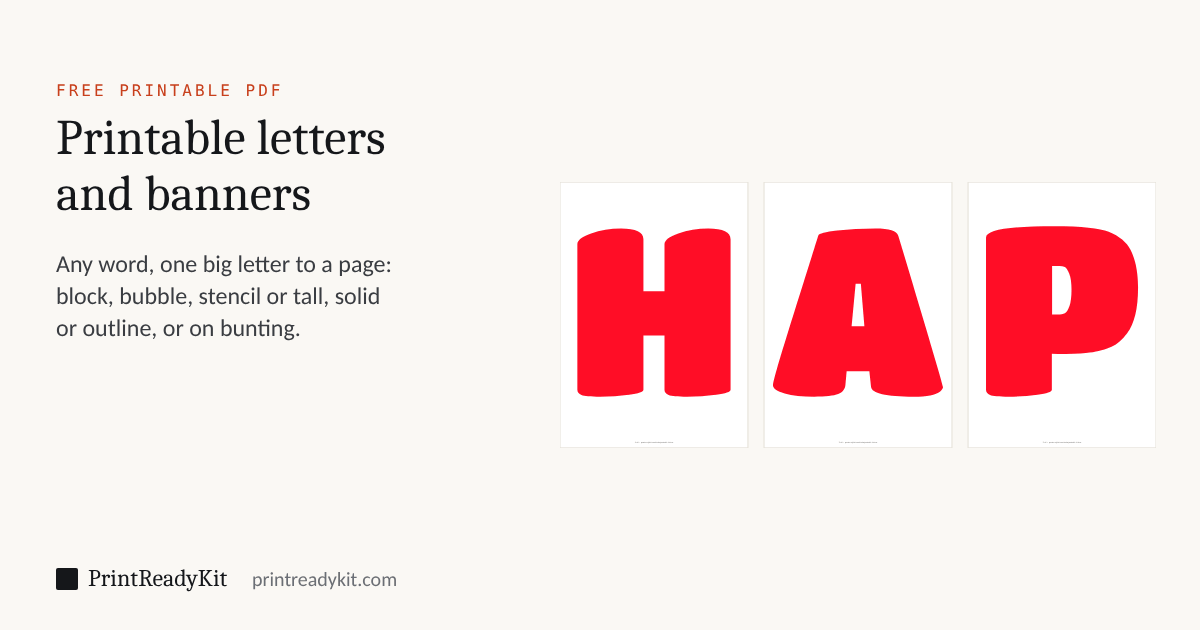
Type a word or a name and print it one big letter to a page, for a happy birthday banner, a classroom wall or letters to cut out: block, bubble, stencil or tall letters, solid or as an outline to colour in, on A4 or US Letter. Or put each letter on a pennant for bunting. Nothing you type leaves your browser.
Loading the letters…
Loading the letters…
Banner letters, one to a page
Every letter of the word is printed at the same size and on the same baseline, as large as the widest letter allows, so the pages line up when they hang side by side. Spaces between words take no page; leave a gap on the ribbon instead. A long word or a name works the same way as HAPPY BIRTHDAY, and a set of A to Z or 0 to 9 makes alphabet letters for a classroom wall or a birthday number. Each page carries its number at the foot, small, to keep them in order.
Bubble letters, stencils and outlines
Outline prints each letter as a line to colour up to or to cut along. The Bubble style gives the round, fat bubble letters that are fun to colour; Stencil has the bridges that keep the middle of an O or an A in place once it is cut out of card; Tall fits more height on a page for a narrow banner; Block is the plain heavy letter that reads from across a room. Solid letters in a colour print with a lot of ink: Outline, or a light colour, saves it.
Bunting
Bunting gives every letter a pennant: a triangle the width of the page, the letter near its top, and a strip above a dashed line. Cut along the solid outline, fold the strip back over a string or ribbon and glue it, then space the pennants out. The letters come from four free fonts under the SIL Open Font License: Archivo Black, Titan One, Stardos Stencil and Anton. The label sheet generator makes matching name labels.
Keeps the style, colour and paper. Your words stay on this device.
Frequently asked questions
How do I make a happy birthday banner?
Type HAPPY BIRTHDAY, or pick it, choose a style and a colour, and download the PDF: thirteen pages, one big letter on each, all the same size on the same line so they hang level. Print at Actual size or 100%, trim the pages if you like, punch two holes near the top of each and thread them on a ribbon, or tape them to a length of string. For a pennant banner, choose Bunting instead.
How do I print bubble letters to colour in?
Choose the Bubble style and Outline. Each letter prints as a rounded outline with a line wide enough to colour up to and to cut along, so the letters can be coloured in, cut out and stuck on a wall or a poster. Solid prints the same letters filled in.
Can I print stencil letters to cut out?
Yes: choose Stencil and Outline. The stencil letters have the small bridges that hold the inside of an A, B or O in place, so the shape can be cut out of card with a craft knife and painted through. Print on card of 200 gsm or more, or print on paper and glue it to card before cutting.
How do I make bunting with letters?
Choose Bunting. Every letter gets a pennant of its own, a triangle the width of the page with the letter near its top, and a strip above a dashed line: cut round the solid outline, fold the strip back over the string along the dashed line and glue it down, then slide the pennants into order. Shade pennants tints each one lightly in the colour you chose.
How big are the letters?
As big as the page allows with a 10 mm margin, and the same size for every letter of the word, so the widest letter sets it: in the Block style, the capitals of HAPPY BIRTHDAY on portrait A4 are 17.1 cm tall, and 7.0 in on US Letter. Landscape pages or the Tall style make them larger; a W or an M makes the whole word a little smaller.
Are the words I type sent anywhere?
No. The letters are drawn in your browser from the font file, and nothing you type is uploaded. A link made with "Continue on another device" carries the style, the colour and the paper, never the words.
Last updated