Tool
Printable ruler generator
Generate a true-to-scale ruler in millimetres, inches or both on one strip — or an architect’s scale ruler at 1:50, 1:100 and other drawing scales — then print it on a normal home printer. Download it as a PDF (recommended — a fixed page size prints reliably at 100%, and includes a built-in accuracy check line) or as an SVG for editing.
Settings
Print accuracy: always print at 100% / "Actual size" with margins set to "None" or "Minimum". After printing, compare against a known ruler before relying on the printed copy for precise measurements. Printing from a phone? There is often no such setting there, so measure the check line on the PDF — what to do from a phone. No printer at all? The online ruler is life size on your screen once matched to a bank card.
Keeps these settings in the link. Useful for moving from a phone to the computer with the printer on it.
Frequently asked questions
Can I print a ruler with inches and centimetres on it?
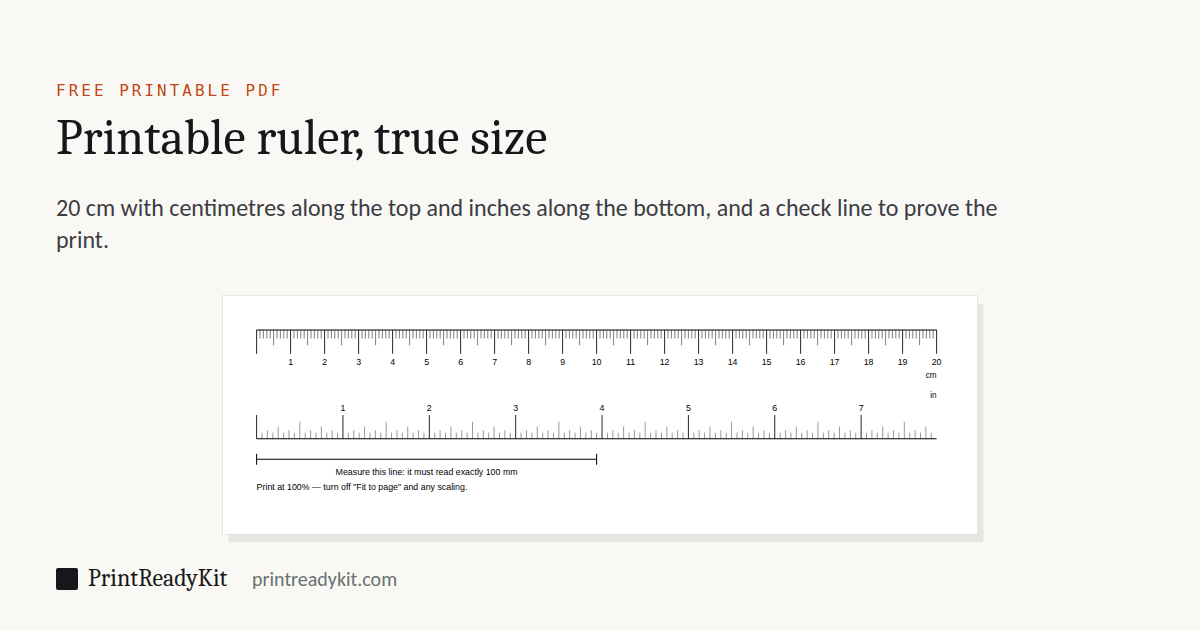
Yes — tick "Both scales" and the strip carries centimetres and millimetres along the top edge and inches in sixteenths along the bottom, both starting from the same zero. The unit you pick still decides the page: millimetres gives an A4 PDF, inches a Letter one, so it prints at 100% on the paper you have.
Can I get half-millimetre markings?
Yes — set precision to 0.5 mm and a fine mark appears between every millimetre. They are drawn shorter and thinner than the whole-millimetre marks on purpose, so the scale still reads at a glance instead of turning into a grey band, which is how most finely graduated rules become unusable. One caveat worth taking seriously: finer graduations let you *read* more precisely, but they do not make the print more accurate. Run the calibration test first — at this resolution a 2% scaling error is larger than the graduation you are trying to read.
How long a ruler can I print?
Up to 560 mm. The tool picks the smallest sheet that holds it, always landscape: A4 up to 267 mm, A3 up to 390 mm, A2 beyond that. If your printer stops at A4 and you need more length, a scale ruler is usually the better answer — 200 mm of paper at 1:5 already reads a full metre.
What is the scale setting for?
It turns the ruler into an architect’s scale rule. At 1:50, the printed strip reads distances straight off a 1:50 drawing — a wall measuring 20 mm on the plan reads as 1 metre, without any arithmetic. Choose the scale your drawing is at, print, and measure. Both systems are here: metric ratios labelled in metres or millimetres, and US architectural and engineer scales — 1/4" = 1'-0" through 1" = 100' — labelled in feet, because that is how those drawings are read.
Does a scale ruler still need to print at 100%?
More than ever. A life-size ruler that prints 3% small is obviously wrong when you check it against a known ruler. A 1:100 ruler that prints 3% small quietly reports every distance 3% short, and the error scales up with the drawing — 30 centimetres of real building per 10 metres. Print at Actual size and verify before you trust a measurement.
How do I print this at the correct size?
In your browser print dialog, set Scale to "100%" or "Actual size" and Margins to "None". After printing, hold a real ruler against the printed one to verify. If it differs, your printer is scaling the page — re-check the print settings, and use the print scale calibration test to measure the error precisely and get the corrective percentage.
Why does my browser cut off the ruler?
Most browsers add a default page margin. Either disable margins in the print dialog or open the SVG in a vector editor that can print without margins.
Can I print a 30 cm ruler on A4?
Not at full scale — A4 is only 297 mm on its long edge, so a 300 mm ruler cannot fit even in landscape. The PDF download switches to an A3 page automatically for the 30 cm preset; if you only have A4 paper, use the 25 cm preset instead.
How precise is a printed ruler in practice?
A well-printed ruler from a properly calibrated home printer is accurate to a fraction of a millimetre — good enough for most everyday measurements, and the 0.5 mm precision option lets you read it that finely. What it cannot do is make the printer more accurate: if the sheet came out at 98%, finer graduations simply let you read a wrong number more precisely. Verify with the calibration test, and for engineering or machining use a manufactured rule or calliper.
Measuring and scale tools
- Scale ruler guide1:50, 1:100, 1/4" = 1'-0" and how to read them
- Online rulerActual size on your screen, set with a bank card
- Scale converterDrawing to real size, or find a drawing’s scale
- Printable protractor180° or 360°, any size, with a check square
- Ring sizerRing size circles and a finger strip, card-checked
- Print scale calibrationThe exact percentage your printer prints at
- Printer test pageInks, fine detail and how close to the edge it prints