Tool
Printable bookmark maker
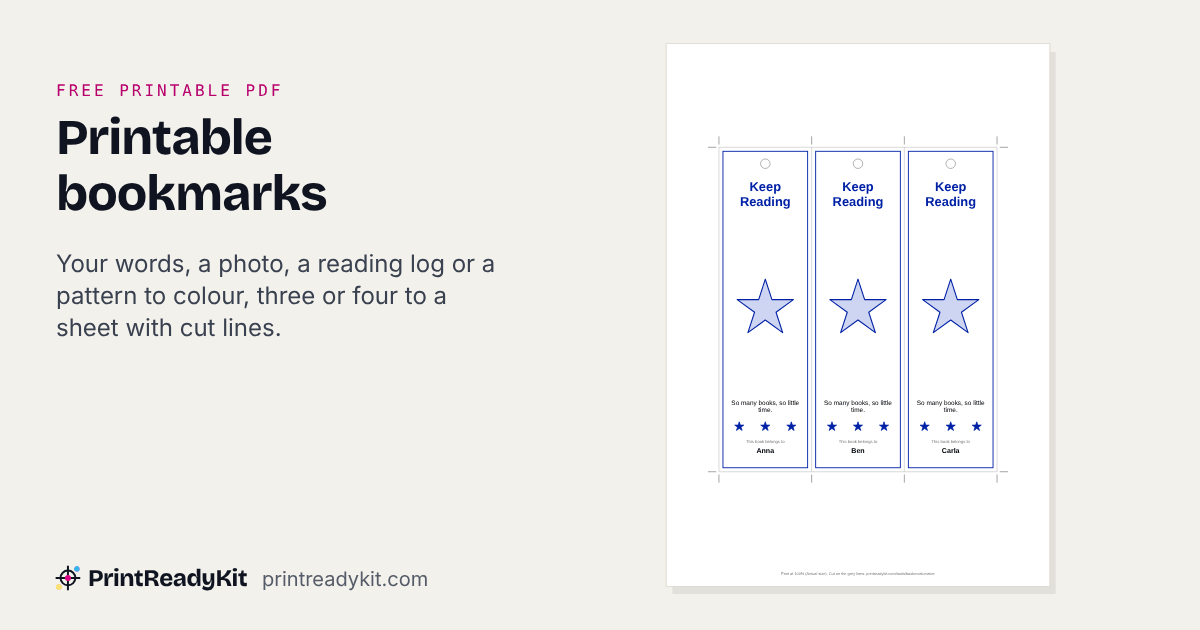
Make printable bookmarks with your own words or photo, a pattern to colour in, a reading log or a reading tracker — three or four to a sheet with cut lines, a hole for a tassel and, if you like, a matching back for two-sided printing. Type a class list and every bookmark gets its own name. Free, no sign-up, made in your browser.
Print at Actual size (100%). For a back, print both pages on one sheet, flipping on the long edge.
How to make them
- Pick a design and a size, type your words or a class list, and choose a back if you want one.
- Download the PDF and print it on card stock at Actual size; for a back, print two-sided, flipping on the long edge.
- Cut on the grey lines — the crop marks show where each cut starts — and punch the marked hole for a ribbon or tassel.
Making a bookmark for a book you are binding yourself? The booklet maker folds a PDF into a book, and the book cover calculator sizes its cover. For a sheet of cards in any size, the sheet layout calculator works out how many fit.
Keeps these settings in the link. Useful for moving from a phone to the computer with the printer on it.
Share with a class
Posts a link to this tool with these settings. Nothing loads from Google or Microsoft until you press a button.
Frequently asked questions
How do I print bookmarks on both sides?
Choose a back — the same design, a reading log, a reading tracker or lines for notes — and the PDF gets a second page with the backs in mirrored order. Print both pages on one sheet with your printer’s two-sided setting, flipping on the long edge, so each back lands behind its front. If your printer has no two-sided setting, print page 1, put the sheet back in the tray printed side down, top first, and print page 2. Cut after both sides are printed.
What size is a bookmark?
Most bookmarks are 2 × 7 inches (about 5 × 18 cm), the Classic size here, three to a sheet of A4 or US Letter. Slim is 1¾ × 7 inches and fits four to a sheet; Wide is 2½ × 8 inches for a photo or a reading log with room to write; Short is 2 × 6 inches for paperbacks. The bookmarks sit edge to edge, so one cut between two of them does both, and the crop marks show where to start each cut.
What paper should I use?
Card stock of 160–250 g/m² (60–90 lb cover) makes a bookmark that does not bend in a book; most home printers take up to about 200 g/m² through the rear or manual feed. Plain paper works for colouring-in bookmarks in a classroom, and laminating afterwards makes any bookmark last. Punch the marked hole and tie a ribbon or tassel through it.
Can I make a bookmark for every student with their name?
Yes. Type the names, one per line, and every bookmark gets “This book belongs to” with one name — three or four to a sheet, as many sheets as the class needs. With no names, each bookmark has a line to write a name by hand.
Can I put a photo on a bookmark?
Choose Photo and pick an image: it is cropped to the bookmark’s photo window and placed on every bookmark on the sheet, with your words below. The photo stays in your browser; it is not uploaded anywhere. For a gift, a photo bookmark on card stock, laminated, with a ribbon, is quick to make and lasts.
Are the names, words and photo saved or sent anywhere?
No. The bookmarks are drawn in your browser and go only into the PDF you download. The link from “Continue on another device” carries the size, design, colours and paper — never your words, names or photo.
Last updated