Tool
Label sheet generator
Start from a common sheet or enter your own page size, label size, margins and gaps. Fill it with the same text on every label or a pasted address list, see it as you go, and download a true-scale PDF or an SVG.
Start from a common sheet
The US Letter presets follow the layout of the Avery sheets named on them. PrintReadyKit is not affiliated with Avery. Sheets sold as compatible differ between makers by a few tenths of a millimetre, so print one page on plain paper and hold it against your sheet before a full run.
Sheet settings
If every label prints the same distance off — a common printer quirk, not a template fault — measure it on a plain-paper test print and enter it here. Right and down are positive.
Total labels: 21
Keeps these settings in the link. Useful for moving from a phone to the computer with the printer on it.
Frequently asked questions
Does it have Avery 5160 and other Avery templates?
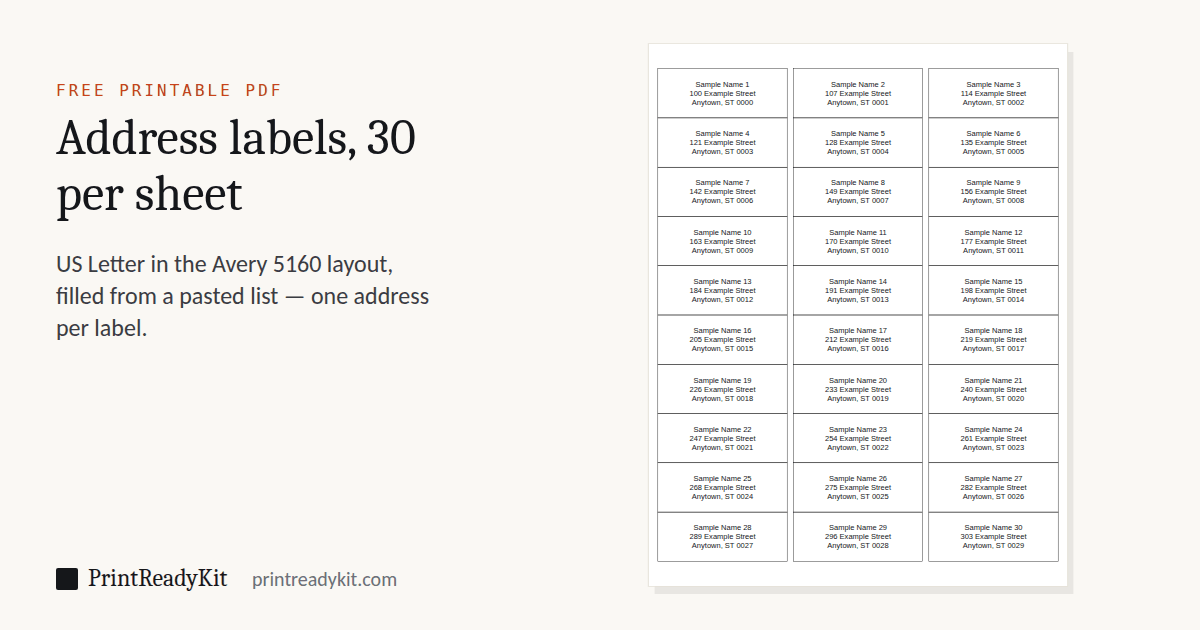
It has their layouts. Start from: Avery 5160, 5260, 8160 (30 per sheet); Avery 5161, 8161 (20 per sheet); Avery 5163, 8163 (10 per sheet); Avery 5164, 8164 (6 per sheet); Avery 5167, 8167 (80 per sheet); Avery 5395 (8 per sheet). Pick one above and the page size, grid, margins and gaps are filled in to the inch; switch the unit to inches to check them against the box. PrintReadyKit is not affiliated with Avery, and sheets sold as compatible differ slightly between makers, so print one page on plain paper and hold it against your sheet first.
Does this match my pre-cut sticker sheets?
The generator produces a custom layout based on the numbers you enter. You can match almost any commercially available sheet by measuring the label width, height, page margins and the gap between labels with a ruler, then entering those values here. If your sheet brand publishes dimensions, you can use those directly.
Why does my browser print the sheet slightly off?
Most browsers add their own page margins and may scale the print to fit. For accurate printing, use the PDF download rather than printing the preview — it carries a fixed page size and prints at true scale — or set "Margins: None" and "Scale: 100% / Actual size" in the print dialog. The print scale calibration test confirms whether your printer is actually obeying.
My labels print a little off. How do I line them up?
Print one page on plain paper and hold it against a label sheet in front of a window. If every label is off by the same amount, it is the printer, not the template: enter that distance under Printer offset (right and down are positive) and print again. If the error grows down the page, the printer is scaling — print the PDF at 100% or Actual size, never Fit. If the whole layout is a different size, check that the page size matches the sheet: an A4 layout printed on Letter, or the reverse, is off everywhere.
Can I print on a sheet with some labels already used?
Yes. Enter how many labels are gone under "Labels already used on the first sheet". They are counted across each row from the top left, left blank, and your text starts on the next label; a longer list carries on onto fresh sheets.
How do I make Avery 5160 labels from Google Docs or Google Sheets?
Google Docs has no label feature of its own, which is why so many people ask. Copy the addresses from Google Sheets — one row per address, the name, street and town in neighbouring cells — choose the 30 labels per sheet preset (the Avery 5160 layout), pick "One entry per label" and paste: each row becomes one label with its cells on separate lines. Download the PDF and print it at 100%. On a Mac, contacts dragged from the Contacts app into a Numbers sheet become rows you can copy the same way.
How do I print address labels for Christmas and holiday cards?
For the return address, choose the 80 labels per sheet preset (the Avery 5167 layout, ½ × 1¾ in) or 30 per sheet (Avery 5160), pick "Same text on every label" and type your address once. For the people you are sending to, pick "One entry per label" and paste the list — one address per spreadsheet row, or a blank line between addresses. Print a page on plain paper first and hold it against the sheet; if some labels are already used, say how many and the list starts after them.
What is the difference between margin and gap?
Margin is the empty space between the edge of the page and the first label. Gap is the space between two adjacent labels. Most label sheets have a top/left margin and small gaps between rows or columns.
Can I add my own content to the labels?
Yes, directly here. Under Label content, choose "Same text on every label" for a return address or product line, or "One entry per label" and paste a list — one name per line, or a blank line between entries that take several lines, such as addresses — the PDF then arrives filled, auto-sized and centred, across as many pages as the list needs. If you want images, barcodes or per-label styling, download the SVG instead: it contains a separate path per cell and opens in any vector editor.